
Conference Room Video Conferencing Setup: Equipment Checklist
Setting up a conference room? Here’s a simple checklist of the equipment, connectivity and other things you need to get it right.
Emarson AV Team
Guest Author
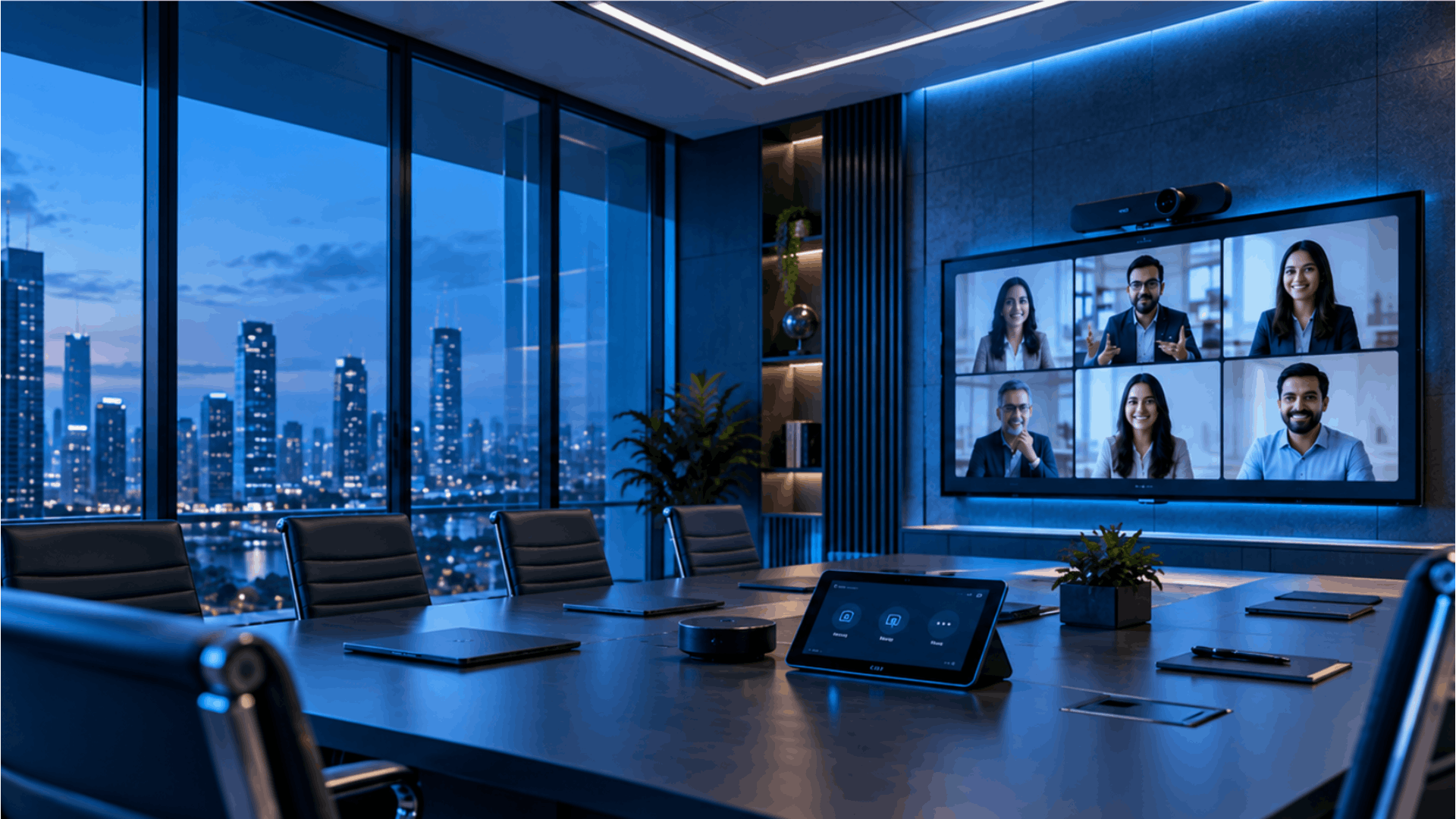
Planning a video conferencing room can get confusing quickly. There are cameras, microphones, displays, speakers, meeting platforms and network connections to think about.
This checklist breaks down the essentials in simple terms, so you can see what a conference room actually needs before buying or installing anything.
Essential Components of a Conference Room Video Conferencing Setup
A conference room video conferencing setup needs a few basic things. The setup can change from room to room. A small meeting room and a large boardroom will not need the same equipment.
- Camera: The camera needs to show everyone clearly. For smaller rooms, a fixed camera is usually enough. In a bigger room, you may need a PTZ or AI-powered camera to cover the whole table and keep people in view.
- Microphone: Audio problems can make a good meeting difficult. The audio setup should cover people around the table without picking up too much noise. Tabletop, ceiling and wireless microphones can be used based on the room layout.
- Display: The screen needs to be clear enough for everyone to see the call and anything being shared. In bigger rooms, a second display can make things easier to follow.
- Speaker: People at the far end of the table should hear the other side clearly. Speaker placement and room size both matter, especially in larger meeting rooms.
- Collaboration device: This connects the room equipment with the meeting platform, making it easier to join meetings, share a laptop and control the room.
The important part is that these components work together. A high-end camera will not solve poor audio, and good equipment will still struggle if the network is unreliable.
Choosing Video Conferencing Equipment by Room Size
The size of the room makes a big difference when choosing video conferencing equipment. A setup that works for four people may not be enough for a room with 15 people. The distance between the camera, microphone, display and people also needs to be considered.
- Small Meeting Room (2 to 6 People): Small rooms can usually work with a compact video bar, display and simple room control. The setup should be easy to start without employees having to deal with several separate devices.
- Medium Meeting Room (6 to 12 People): Medium rooms need more coverage. A wider camera view, additional microphones and a larger display may be needed depending on the table and seating arrangement.
- Large Conference Room or Boardroom (12+ People: Large rooms need more planning. They may require advanced cameras, multiple microphones, additional speakers and larger or multiple displays. Camera position and microphone coverage become especially important.
The best video conferencing equipment is not necessarily the most expensive option. It is the equipment that fits the room and works properly for the people using it.
Choosing the Right Meeting Platform for Your Conference Room
The meeting platform is another part of the setup that should be decided before choosing the equipment. Microsoft Teams, Zoom, Google Meet and Cisco Webex are widely used by businesses, but the room hardware needs to work properly with the platform being used. Think about what happens when an employee walks into the room. Can they join the meeting without searching for cables? Can they share their laptop? Can everyone in the room be heard? Can remote participants see the people around the table? Can the IT team manage the room when something goes wrong?
These details can matter more than the number of features listed on a product page.
A conference room should feel simple when it is being used. Employees should be able to walk in, start the meeting and get on with their work instead of spending the first few minutes figuring out which device or cable they need.
Installation and Testing Matter as Much as the Equipment
Choosing the right video conferencing equipment is only part of the work. The equipment also needs to be installed, configured and tested properly.
Camera position should be checked from the seats people will actually use. Microphones should be tested from different points around the table. Speakers should be checked for clear audio, while the display should be easy to see from the farthest seat.
The network connection, meeting platform and content sharing should also be tested together. A real test call is worth doing before the room goes live. Someone joining from outside the room can often spot problems that people sitting inside the room may not notice.
Before the room goes live:
☐ Camera covers the seating area
☐ Microphones pick up voices clearly
☐ Remote audio is clear
☐ Display is visible from all seats
☐ Content sharing works
☐ Meeting platform connects properly
☐ Network remains stable during a call
☐ A test meeting has been completed
Complete Conference Room Video Conferencing Setup Checklist
Use this checklist before finalising a conference room video conferencing setup.
Room
☐ Room size checked
☐ Seating capacity confirmed
☐ Table and seating layout reviewed
☐ Lighting checked
☐ Room acoustics considered
Video Conferencing Equipment
☐ Camera selected
☐ Microphones selected
☐ Speakers selected
☐ Display selected
☐ Collaboration device selected
Network and Connectivity
☐ Network connection checked
☐ Power points available
☐ AV cabling planned
☐ Network cabling planned
☐ Wireless presentation considered
☐ BYOD requirements checked
Meeting Platform
☐ Teams / Zoom / Google Meet / Webex confirmed
☐ Equipment compatibility checked
☐ Room controls configured
☐ Device management considered
Installation and Testing
☐ Camera position tested
☐ Microphone coverage tested
☐ Speaker coverage tested
☐ Display visibility checked
☐ Content sharing tested
☐ Test meeting completed
☐ Users trained
A good conference room video conferencing setup should make meetings easier for employees and remote participants. The right equipment, a reliable network and proper installation all play a part.
For organisations setting up multiple meeting rooms or upgrading an existing conference room, Emarson provides video conferencing solutions, room assessment, room design, AV and network integration, installation, configuration, training and ongoing support across India.
"A good conference room setup is not about adding more equipment. It is about choosing the right equipment for the room, connecting it properly and making sure it works when people need it."